As an FBA seller, you’ll be asked to choose “FBA Labeled Inventory” (default setting) or “Stickerless, CommingledInventory”. Here’s how they differ:
-FBA Labeled Inventory- You print your product labele
from Seller Central, which must be applied to each
you ship to Amazon’s fulfilment centres.
-Stickerless, Commingled Inventory- Your products
don’t require FBA labels, as they are treated as identical to units of the same product from other sellers (who have also selected Stickerless, Commingled Inventory).When a customer orders one of these products from you, you are the seller of record – i.e. you get for the sale. But the product used to fulfill the order may have been sourced from either another seller’s or Amazon’s own inventory.
As I only sell products that are unique (in terms of branding, design, USP or all three), so I use FBA Labeled Inventory.
The second thing you need is a brand name. Once you have these two you are ready to list your own unique products on Amazon.
To do this:
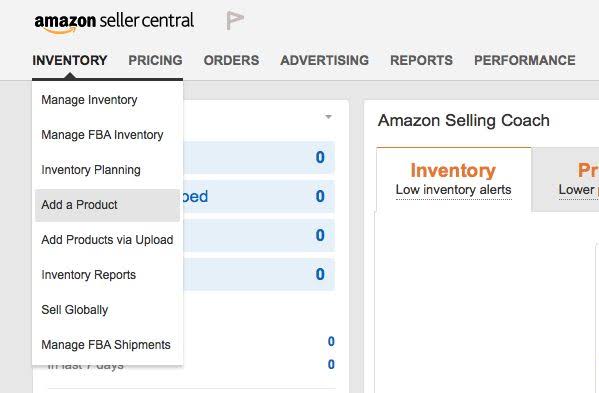
Go to “Your Seller Account”.
Scroll over “INVENTORY” and select “Manage
Inventory”.
Select “Add a product”.
Click on “Create a new product listing”
At this point, you need to select a product category. If you’renot sure where to locate your item, Google “best selling
<<insert product name>> on Amazon.co.uk“. Once you’ve
clicked on the product, scroll down to “Product details” and
next to the “Amazon Bestsellers Rank” you’ll see the categories and subcategories.
Follow the same ones to put your product
into the correct category. Note: If the exact categories don’tmatch up, you’re not doing anything wrong-sometimes they don’t.
Top tip: If you’re changing from seller fulfilled to FBA, you can do this by selectíng “Inventory” and then “Manage Inventory”.
Tick relevant product (on the left hand side) and then select “Convert to Fulfilled by Amazon” from the “Action on << >> Selected”.
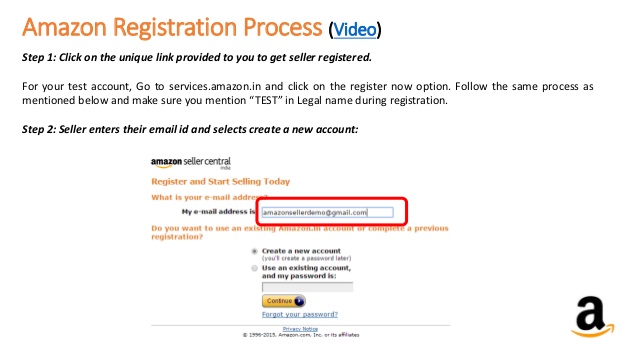
The first section you need to complete is “Vital info”. This is where you add your item title, brand name and barcode number. (More information can be added later.) The barcode number is crucial. If this is not correctly entered, everything else falls apart. The EAN enables Amazon to identify the products in their giant fulfilment centres. When you’ve entered this information, click on “Save and finish”. Once you have saved this initial information, Amazon will
create an ASIN (Amazon Standard Identification Number) and a SKU (Stock Keeping Number).
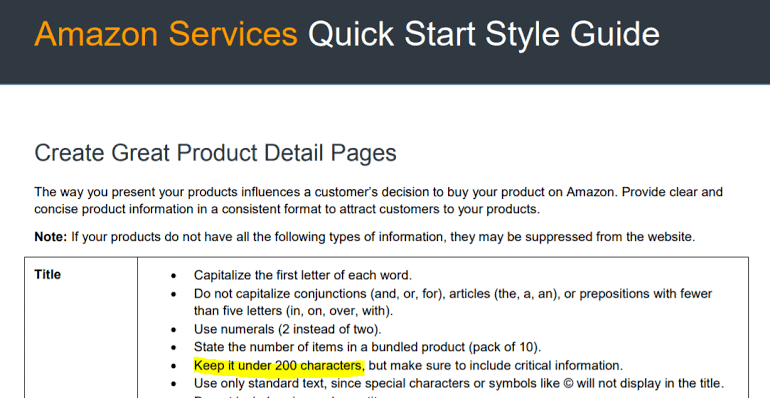
When creating your product-heading, make sure you include the brand name, name of product, key words and your Unique Selling Proposition (if you have one). In terms of Search Engine Optimization (SEO), longer is better. You may also consider including such things as: premium, retro, vintage,
modern, material, colour, size etc.
But beware of gaining more views at the expense of “click throughs”. For example, if you include a range of colours in your title (for example, handbag-
red/blue/yellow/pink/black) you will get more views but
almost certainly fewer clicks. Consumers are more likely to
click on the link that more narrowly describes the product they
want (in this case, possibly a black handbag).